
If you’re wondering how to install Yuzu on Android, you’re not alone. The yuzu emulator android 2026 landscape looks different from what most guides describe – the original app is gone, but the community forks that replaced it work just as well, sometimes better. This guide walks you through exactly what to download, what files you need, and how to get a game running on your phone today.
Short answer: yes – the yuzu emulator android app itself is completely legal. Emulators don’t break any laws. What matters is how you use it.
Here’s the rule to remember:
Prod.keys must be dumped from your own Nintendo Switch – not downloaded from a random website.
Game files (ROMs) must come from physical cartridges or digital titles you already own.
Downloading keys or ROMs from pirate sites is illegal – and genuinely risky. Many of those files carry malware.
Now, does the yuzu emulator android 2026 situation mean you’re out of options? Not at all – but not through the original app. Yuzu was shut down in March 2024 after Nintendo’s legal settlement. Community forks like Yuzu MMJ and Eden picked up where it left off and are still actively used. As long as you’re sourcing your files legally, you’re in the clear.
Stay legal, stay safe. The setup below shows you exactly how.
Before you download anything, check that your device meets the yuzu emulator requirements android users run into most – skipping this step is the single biggest reason first-time setups fail.
Sr no. |
MINIMUM REQUIREMENTS |
RECOMMENDED FOR SMOOTH 60FPS |
|---|---|---|
Processor |
Snapdragon 855 or equivalent |
Snapdragon 8 Gen 1 or better |
GPU |
Adreno 640 / Mali-G77 |
Adreno 730 / Mali-G710 |
RAM |
6GB minimum |
8GB or more |
OS |
Android 10 or newer |
Android 12 or newer |
Storage |
5GB free space |
10GB+ free space |
Tip: Check your phone processor in Settings → About Phone → Processor
First, begin by downloading the latest Yuzu Emulator for Android 2026 from the verified link. However, avoid third-party APK sites, as they often bundle malware.
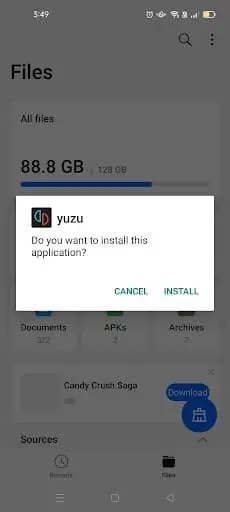
Once the file has finished downloading, just open it and follow the installation prompts. Then, grant the requested permissions to continue. As a result, this ensures Yuzu Emulator runs properly on your device.
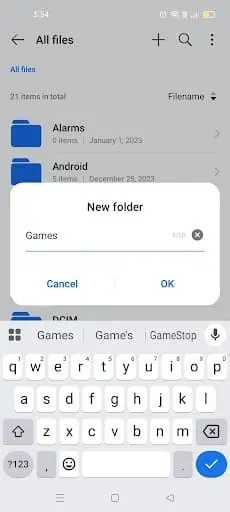
Next, Yuzu requires prod.keys to decrypt games. Download your legally dumped prod.keys and move them into a dedicated folder. For clarity, create a new folder named Games on your device to store both keys and game files.
To avoid issues, always follow the legal use of Yuzu emulator when preparing keys.
Following this, install ZArchiver from the Play Store. Then, open it, navigate to your Games folder, and select prod.keys → Extract Here.
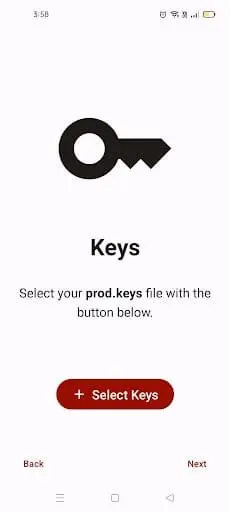
After extraction, open Yuzu Emulator → tap Get Started → select keys → navigate to your Games folder and choose prod.keys. Therefore, this step is essential for running games.
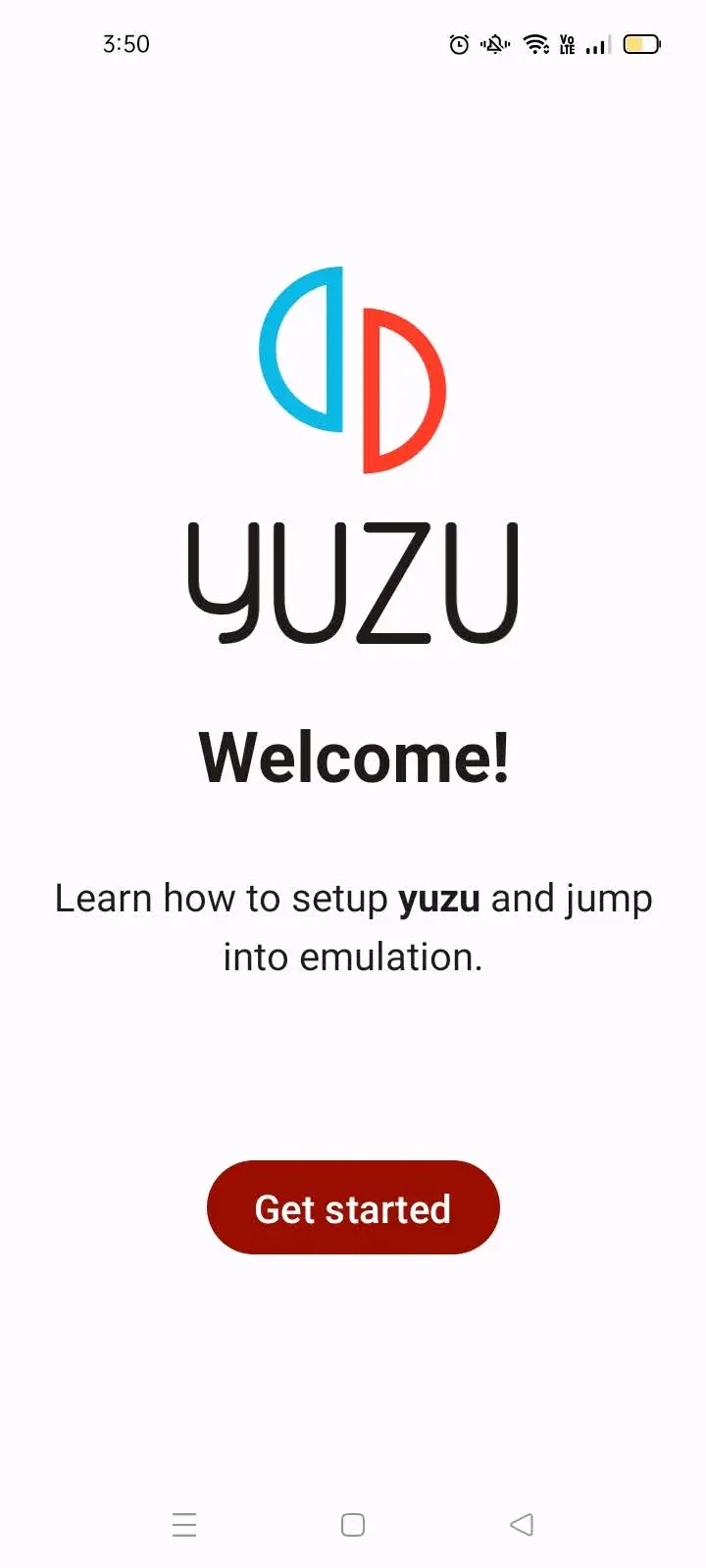
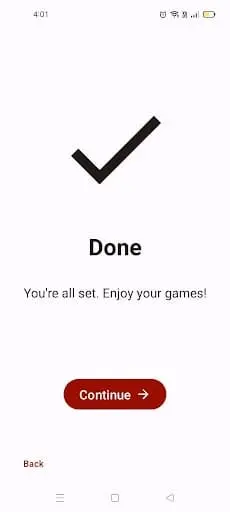
Subsequently, tap Add Games, select your Games folder, and click Use This Folder → Allow. Consequently, your titles will automatically appear in the Yuzu library.
Running a game for the first time in yuzu android 2026 forks like Eden is straightforward – tap your game file from the library screen and let the shader cache build on the first load.
System → Limit Speed Always On (100%)
Docked Mode Off
Graphics → Accuracy: Normal
Resolution → 0.75x (540p/810p)
Enable Disk Shader Cache
Enable Force Max Clocks (Adreno only)
Debug → API = Vulkan
CPU Backend = Native Code Execution (NCE)
CPU Accuracy = Auto
Fastmem = On
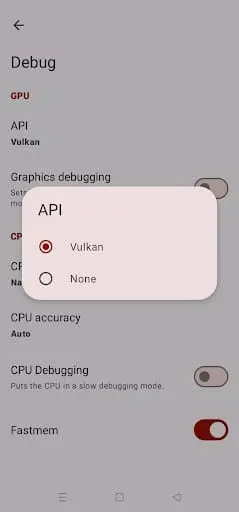
Step 1: Open Yuzu → Settings → Debug
Step 2: Tap “GPU driver.”
Step 3: Tap “Install Custom Driver.”
Step 4: Download the latest Turnip driver from the Yuzu GitHub releases page
Step 5: Select the downloaded file → Install
Step 6: Restart Yuzu.
Note: Performance improvements vary by device and game. Always use Turnip with the Vulkan API for best results.
Yuzu MMJ is a community fork of the original Yuzu emulator, built specifically for Android. It was optimised for mobile hardware at a time when the standard Yuzu Android build struggled on anything below flagship specs.
Users with Snapdragon 700 series devices (e.g. Snapdragon 720G, 778G, 780G)
Anyone whose phone stutters or crashes on the standard Yuzu build
Players who want a lighter, mobile-tuned experience
Everything in the setup process. You still need prod.keys, firmware, and your own game files – no shortcuts there.
Search GitHub for “Yuzu MMJ” to find community mirrors. Be cautious: only download APKs from repositories with visible source code and recent community activity. Avoid random APK hosting sites entirely.
One honest note for 2026: Yuzu MMJ’s main codebase hasn’t seen major updates since 2024. It still runs many titles well, but newer forks like Eden are pulling ahead on performance. If MMJ works on your device, great – keep using it. If you’re starting fresh, check the fork comparison below.
Looking for something to play first? Browse the best games to play on yuzu android to find titles that run smoothly on mid-range hardware.
Since the official yuzu emulator android setup path closed in 2024, the community has kept Switch emulation alive through several forks. Not all of them are equal – and not all of them are still active.
Here’s where things stand for yuzu apk 2026 users:
Fork Name | Best For | Performance | Status |
|---|---|---|---|
Yuzu MMJ | Mid-range Snapdragon devices | Good (2024 codebase) | Maintenance only |
Suyu | Early post-shutdown users | Moderate | Inactive (ceased Feb 2025) |
Citron | PC + Android, broader compatibility | Good | Active |
Eden | Android-first, latest optimisations | Excellent | Active ✅ |
Bottom line for most Android users in 2026: Start with Eden. It’s the most actively developed fork in the Yuzu lineage, it supports the same prod.keys and firmware setup you’d use anywhere, and it’s where performance improvements are actually happening right now. Yuzu MMJ remains a solid fallback if Eden doesn’t play nicely with your specific device.
This is the best yuzu fork android 2026 landscape as it stands – and it will keep shifting as the community evolves.
Want to see how Android performance compares to desktop? Check out our yuzu vs ryujinx on android breakdown for a side-by-side look.
After setup, double-tap a game to launch. Initially, the first run may stutter as the shader cache builds, but performance improves with each play. By applying these settings, Switch games can run fluidly even on mid-range Android smartphones.
First, use a controller (Xbox, PlayStation, or Switch Pro) for a better experience.
Additionally, keep Yuzu updated from the official GitHub for bug fixes.
Moreover, avoid downloading games or keys from pirated sites to stay safe and legal.
Yes, if downloaded from official GitHub or trusted forks.
Yes, prod.keys are essential to decrypt and play Nintendo Switch games.
Yes, with proper settings like resolution scaling (0.75x) and Vulkan API.
Yes, via LAN/VPN multiplayer – but not Nintendo Online.
Yuzu MMJ is optimized for Snapdragon devices and runs best on Android. If you want to compare Android performance with PC.
Snapdragon 8 Gen 1 and 8 Gen 2 devices perform best. Samsung Galaxy S22/S23 (Snapdragon), OnePlus 10/11, and Google Pixel 7/8 are among the most reported working devices in 2026.
Yuzu works on Samsung phones with Snapdragon processors. However, Samsung Exynos models have significantly limited support. If you have a Samsung, check whether your model uses Snapdragon or Exynos before downloading.
Open Yuzu → Settings → Debug → GPU Driver → Install Custom Driver. Download the latest Turnip release from the official Yuzu GitHub page and select it. Restart Yuzu after installation. Only supported on Snapdragon devices with Adreno GPUs.
Some users report achieving 60FPS on high-end Snapdragon devices with Turnip drivers, Vulkan API, and game-specific 60FPS mods. Results vary by device and game title.
Follow the step-by-step guide above – start at Step 1 to grab the right APK for your device, then work through to Step 7. Most users have a game running in under 30 minutes.
Download the APK in Step 1, enable “Install from unknown sources” in your Android settings, then install and configure as shown. Jump straight to Step 1 above to begin.
Make sure your file is named exactly “prod.keys” with no extra text. Re-link in Yuzu → Get Started → Keys.
Firmware is likely missing or the wrong version.
Go to Yuzu Settings
→ Install Firmware and reinstall matching your prod.keys version.
Go to Settings:
→ Security
→ Enable “Install from Unknown Sources” for your file manager app. Then retry the installation.
Try these steps in order:
Switch Graphics API from Vulkan to OpenGL. Some games are more stable on OpenGL on certain devices.
Go to Settings
→ Controls
→ Configure manually.
For touch controls, enable on-screen overlay in Settings → Controls.
Clear app cache: Settings → Apps → Yuzu → Storage → Clear Cache. Restart and try again.
In conclusion, the Yuzu Emulator APK for Android 2026 is both legal and safe when used responsibly. The key is to always dump your own prod.keys, firmware, and game files directly from your Nintendo Switch. By combining this with verified downloads from GitHub or trusted forks like Yuzu MMJ and Suyu, you protect yourself from malware, fake APKs, and piracy risks.
Moreover, correct configuration makes all the difference. With optimized settings (Vulkan API, 0.75x resolution, shader cache, and proper CPU backend), even low-end Android devices can run Nintendo Switch games smoothly. Therefore, when you install Yuzu on Android in 2026, you not only stay within legal boundaries but also unlock a stable and enjoyable gaming experience.
Final Note: Stay safe, stay legal, and enjoy Nintendo Switch gaming on your Android with Yuzu Emulator.

PlayWithYuzu.com is your complete guide to installing, configuring, and optimizing the Yuzu Emulator. Find tutorials, fixes, game compatibility lists, and performance tips for Android, PC, and Linux.
Take a 30-second AI compatibility test — find out if your device is ready for Nintendo Switch emulation!
🎮 Is your device ready for Yuzu? Take the free 30-second scan!