
Quick Answer
The original Yuzu and Ryujinx projects are both discontinued. Yuzu had Windows, Linux, and Android builds; Ryujinx supported Windows, Linux, and macOS.
Neither was consistently faster across every game. In 2026, the useful comparison is between the exact archived build or community fork you plan to use.
Last updated: September 8, 2026 · Reviewed by Liza, founder of Play With Yuzu
Yuzu vs Ryujinx: Key Differences
Yuzu was written in C++ and later added official Android support. Ryujinx was written in C# and supported macOS. Both also ran on Windows and Linux. The sections below compare compatibility, graphics, networking, controls, and setup.
1. Game Compatibility & Library Size
Yuzu: Its archived compatibility database covered a large Switch library, but there is no reliable single percentage that works as a current 2026 score.
Ryujinx: In May 2024, project figures listed about 4,300 tested titles, more than 4,100 booting into gameplay, and about 3,550 marked playable. These are historical figures.
For a specific game, check the compatibility notes for the build you actually use. Game updates, firmware, drivers, and settings can change the result. For title-by-title notes, see our Yuzu compatibility list.
2. Platform Support
Yuzu: Windows, Linux, and Android. Steam Deck used the Linux build. There was no normal official iOS release.
Ryujinx: Windows, Linux, and macOS. Steam Deck used the Linux build. The original project did not release Android builds.
Community forks may not support every platform the original projects did.
3. Graphics and Rendering
Yuzu: OpenGL and Vulkan, plus resolution scaling, shader caching, filtering, and game-specific settings.
Ryujinx: OpenGL and Vulkan, plus a Metal path on macOS through MoltenVK. It also documented disk shader caching, resolution scaling, anti-aliasing, anisotropic filtering, FSR filters, and aspect-ratio controls.
A 4K or 60 FPS result from one PC is not a general benchmark.
4. Multiplayer and Online Play
Neither original emulator replaced Nintendo Switch Online.
Ryujinx documented LDN builds for local wireless play over a network. Yuzu also had local and community networking features, depending on the game and build.
Community forks can handle networking differently.
5. Controller Support
Both projects supported configurable input.
Yuzu: Joy-Con, Switch Pro Controller, Xbox, PlayStation, and other supported devices.
Ryujinx: Keyboard, mouse, touch input, Joy-Con, motion controls, and common gamepads.
6. Setup
Both emulators needed prod.keys, firmware, and game files. Use files obtained from hardware and software you own.
The menus and folders were different, but both projects had documented setup steps.
For Yuzu setup, use our Windows guide, Android guide, or Linux guide.
Performance on PC, Steam Deck and Android
PC Performance
One game could favor Yuzu while another favored Ryujinx. CPU, GPU, driver, renderer, game version, and build all changed the result.
Steam Deck
Both original projects ran through Linux on Steam Deck. Current forks need to be checked for SteamOS support and controller handling.
Android
Yuzu had an official Android version; Ryujinx did not. On phones, chipset, GPU driver, RAM, and heat limits matter as much as the emulator build.
Yuzu vs Ryujinx Comparison Table
Use this table for the original projects. Community forks can differ.
| Feature | Yuzu | Ryujinx |
|---|---|---|
| Original status | Ended March 2024 | Ended October 2024 |
| Language | C++ | C# |
| Official platforms | Windows, Linux, Android | Windows, Linux, macOS |
| Android | Official version existed | No official release |
| Steam Deck | Used Linux build | Used Linux build |
| Graphics APIs | OpenGL, Vulkan | OpenGL, Vulkan, Metal path on macOS |
| Performance | Game and hardware dependent | Game and hardware dependent |
| Mods | Supported | Supported |
| Nintendo Switch Online | Not supported as Nintendo’s service | Not supported as Nintendo’s service |
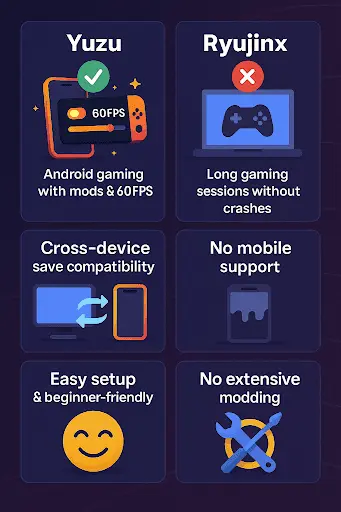
Current Status of Yuzu and Ryujinx in 2026
Yuzu: Nintendo sued Tropic Haze in February 2024. On March 4, 2024, Tropic Haze agreed to a $2.4 million settlement and stopped official Yuzu development and distribution.
Ryujinx: The original project was discontinued on October 1, 2024. Its original GitHub organization now says the project has discontinued and points users to community projects.
Community projects: Forks and mirrors exist, but their status changes. Names you may see include Suyu, Sudachi, Citron, Eden, and Ryubing. Check the repository, recent commits or releases, platform support, documentation, and file source before using one.
Archived System Requirements: Yuzu vs Ryujinx
These are archived project guidelines, not requirements for every community fork in 2026.
| Requirement | Yuzu archived guidance | Ryujinx archived guidance |
|---|---|---|
| RAM | 8 GB with dedicated graphics; 12 GB with integrated graphics; 16 GB recommended | At least 8 GB; 16 GB in the documented recommended baseline |
| Graphics API | OpenGL 4.6 or Vulkan 1.1+ | OpenGL 4.5 or Vulkan 1.2+; Metal path on macOS |
| CPU examples | Minimum: i5-4430 / Ryzen 3 1200; Recommended: i5-11400 / Ryzen 5 3600 | Recommended baseline: Ryzen 5 3600 |
| GPU examples | Recommended: GTX 1660 6 GB / RX 5500 8 GB | Recommended baseline: GTX 1060 6 GB |
| Android | Official Android build existed; archived CPU examples included Snapdragon 460 minimum and Snapdragon 865 recommended | No official Android release |
Recommended hardware did not guarantee a fixed frame rate. Game, driver, renderer, thermal limits, mods, and build could change performance.
Which Is Better: Yuzu or Ryujinx in 2026?
If you are comparing the original projects, Yuzu’s main platform advantage was Android support, while Ryujinx supported macOS. Neither held a fixed performance lead across every game.
For software you can use today, compare the specific maintained fork or archive, not the old project names by themselves.
Frequently Asked Questions
Is Yuzu better than Ryujinx?
Neither was better in every game. Compare the specific game and build you plan to use.
Which emulator runs better on Android?
Yuzu had an official Android version; Ryujinx did not. Current community forks can differ.
Does Ryujinx support Vulkan?
Yes. The original Ryujinx project supported Vulkan and OpenGL, plus a Metal path on macOS through MoltenVK. Archived setup documentation listed Vulkan 1.2 or OpenGL 4.5.
Which emulator is more stable in 2026?
Stability was game-specific. A build that works well for one title may not be the best choice for another.
Does Yuzu or Ryujinx work on Steam Deck?
Yes. Both original projects could run on Steam Deck through Linux. Current forks may differ in SteamOS and controller support.
Which emulator runs Zelda better?
There is no fixed Zelda winner. Breath of the Wild and Tears of the Kingdom results change with the build, game update, hardware, renderer, settings, and mods.