
PlayWithYuzu is a practical guide to Nintendo Switch emulation on Windows, Linux, and Android.
Use it for setup steps, hardware requirements, graphics settings, compatibility notes, community projects, and common fixes.
Yuzu was an open-source Nintendo Switch emulator written in C++ by Tropic Haze LLC, the team behind Citra. It first targeted Windows and Linux, and an Android version came later.
Nintendo of America filed suit on February 26, 2024. On March 4, 2024, Tropic Haze agreed to a $2.4 million settlement and stopped official development and distribution.
1. Your own keys and firmware
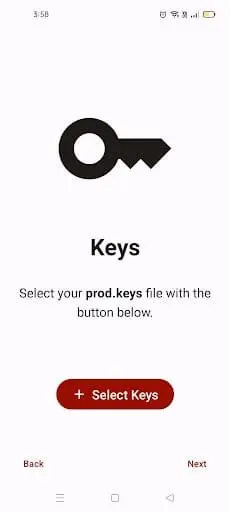
Nintendo Switch system files such as prod.keys and firmware are needed to read encrypted game content. Dump them from hardware you own.
2. Compatible hardware
A game that runs well on one PC or phone may struggle on another. CPU, GPU, graphics driver, RAM, build, and settings all matter.
Use the Windows, Android, or Linux guides below for platform-specific steps.
For a side-by-side look at platform support, graphics APIs, compatibility history, and project status, see our Yuzu vs Ryujinx comparison.
Downloads available today may be archived copies or community-maintained builds for Windows, Android, or Linux.
Before running any build, check its source repository, release history, file details, and project documentation. A file being hosted on GitHub does not by itself prove that it is safe.
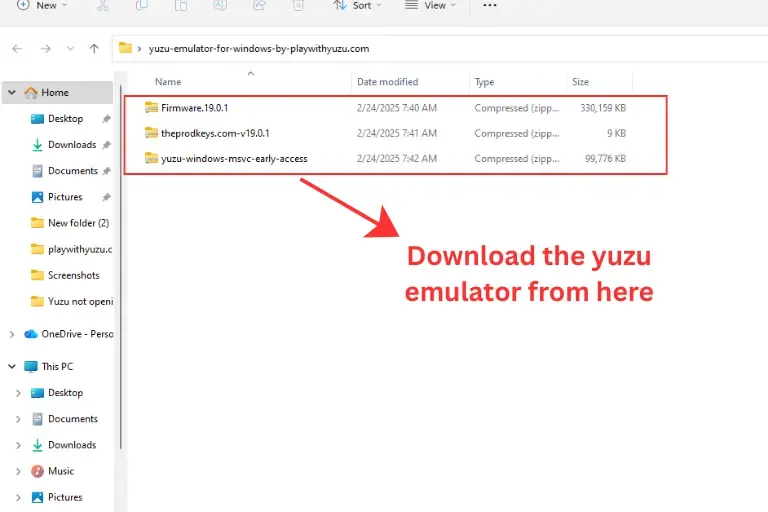
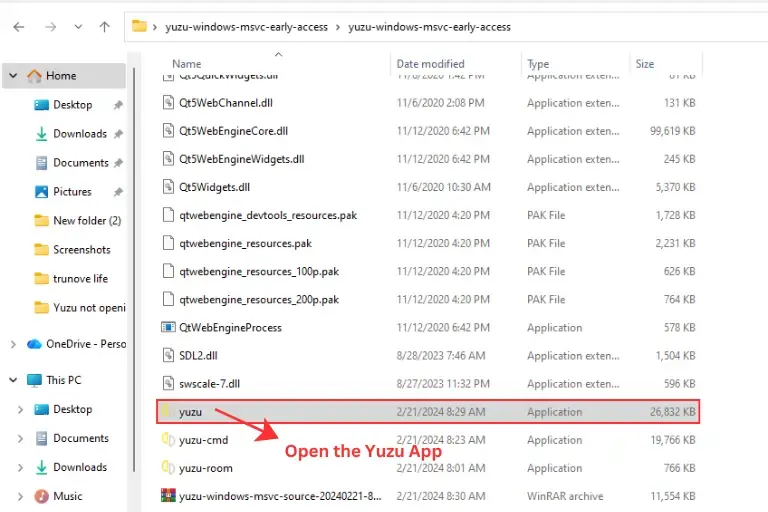
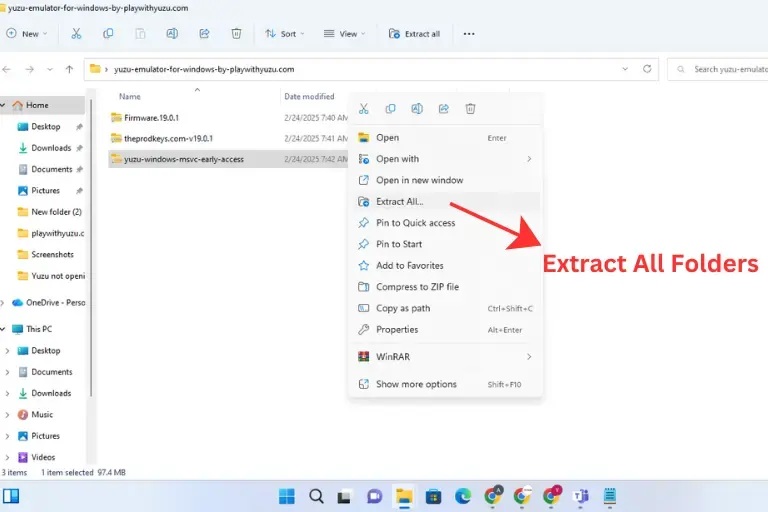
Windows builds use the same core setup: extract the archive, add your own prod.keys and firmware, then point the library to your own game files.
Use a current GPU driver and test Vulkan or OpenGL if a game has graphics problems. See the full Windows installation guide for screenshots and troubleshooting.
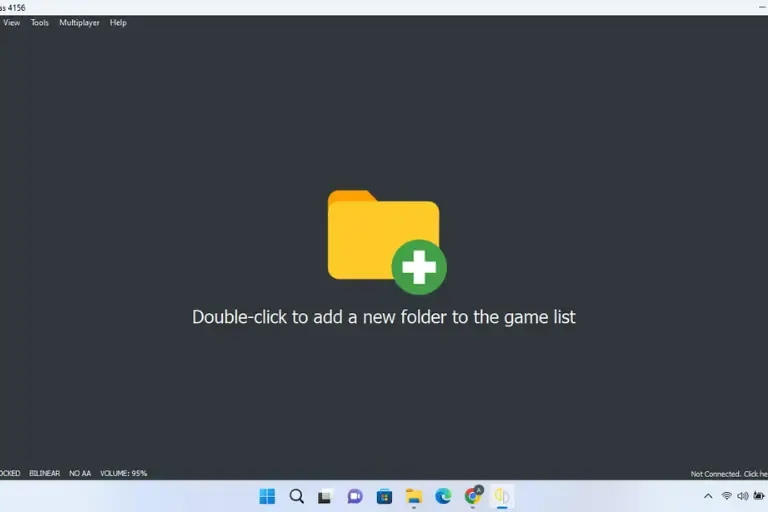
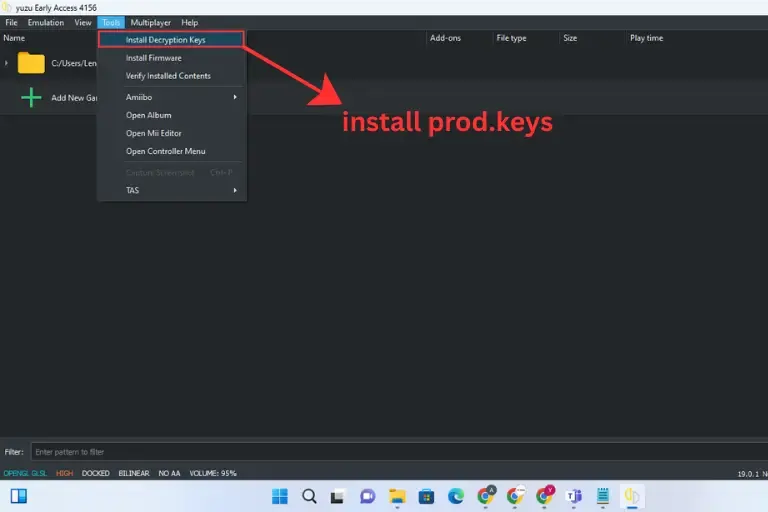
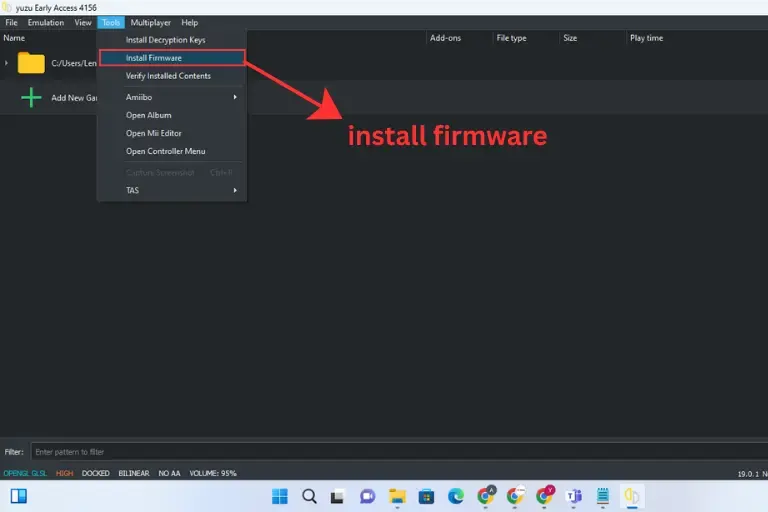
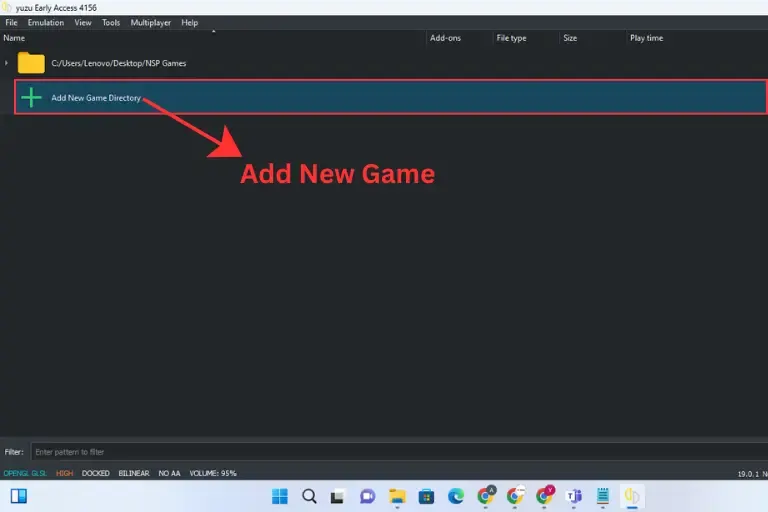
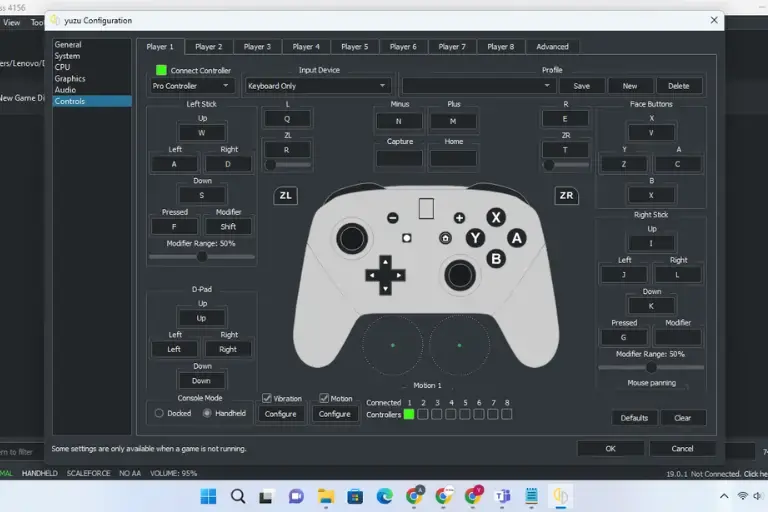
The original project released an Android version for compatible phones and tablets. Setup requires your own keys, firmware, and game files.
Snapdragon phones with Adreno GPUs can use community Turnip drivers, but not every phone handles the same games well. See the full Android installation guide for requirements and setup.
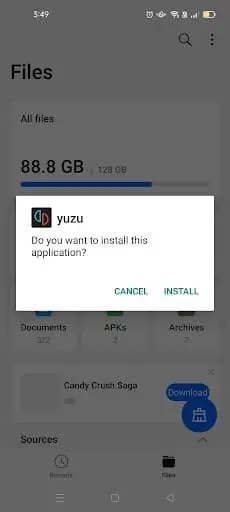
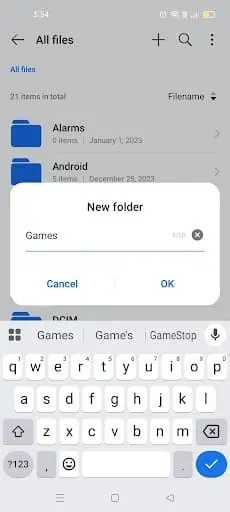
Linux builds need your own keys, firmware, and game files, plus any required system libraries.
Use a current graphics driver with Vulkan 1.1 or OpenGL 4.6 support. See the full Linux installation guide for distro-specific steps.
Several independent projects reused or modified parts of Yuzu’s open-source code. They are separate from the original team.
Before installing a fork, check its repository, recent releases, supported platforms, and documentation.
Early Access (EA) was an official release channel that gave supporters newer experimental builds before some changes reached the main release. It was part of the original project, not a separate community fork.
MMJ is a name used by unofficial Android-focused builds based on the old codebase. Different repositories may use the same name, so confirm the maintainer and release date before installing one.
Suyu is an independent open-source fork, separate from Tropic Haze and the original Yuzu team.
Sudachi, Citron, and Eden are other independent projects based on or related to the old codebase. Each has its own repository and release history.
Most launch problems start with keys, firmware, game files, graphics drivers, or a game-specific setting.
If the app stays on the launching screen, the cause is not always the same. Common causes include missing or incompatible keys or firmware, a bad game dump, graphics-driver problems, or a game-specific setting.
Try these checks:
If a game does not appear in the library, first check the file you dumped from your own Nintendo Switch. Common Switch game formats include XCI and NSP. Compressed ZIP, RAR, or 7z archives are not playable game images.
Try these checks:
Yuzu and Ryujinx were built with different goals and often performed differently from game to game.
Our Yuzu vs Ryujinx guide compares their platform support, graphics backends, compatibility history, and community-maintained options.
Archived Yuzu documentation listed OpenGL 4.6 or Vulkan 1.1 support and recommended 16 GB of RAM for a stronger PC setup.
| Part | Minimum | Recommended |
|---|---|---|
| CPU | Intel Core i5-4430 / AMD Ryzen 3 1200 | Intel Core i5-11400 / AMD Ryzen 5 3600 |
| Dedicated GPU | Windows: GTX 1050 4 GB / RX 550 4 GB Linux: GT 1050 4 GB / R7 240 4 GB | GTX 1660 6 GB / RX 5500 8 GB |
| Graphics API | OpenGL 4.6 or Vulkan 1.1 | OpenGL 4.6 or Vulkan 1.1+ |
| RAM | 8 GB with dedicated graphics; 12 GB with integrated graphics | 16 GB |
| OS | Up-to-date Windows 10 or Linux | Windows 11 or current Linux distribution |
These are archived Yuzu hardware guidelines, not a promise of a fixed frame rate. Game performance varies by hardware, graphics driver, settings, and title.
| Part | Minimum | Recommended |
|---|---|---|
| CPU | Qualcomm Snapdragon 460 | Qualcomm Snapdragon 865 |
| GPU | Adreno 605 with compatible Turnip driver / Mali G57 | Adreno 740 / Mali G720 |
| RAM | 8 GB | 16 GB |
These examples come from archived Yuzu documentation. Android results vary by phone model, thermal limits, GPU driver, game, and emulator build.
Steam Deck: The Linux build can run on Steam Deck because the device uses a Linux-based operating system and supports Vulkan. Performance still depends on the game and settings.
macOS: The original project did not provide a normal supported macOS release. Community experiments may exist, but they should not be presented as official support.
iOS: There was no official iOS release from the original team. Be careful with websites that advertise an “official” iPhone app.

Reviewed by Liza, founder of Play With Yuzu. Updates are checked against project documentation and release information.
Sources: Archived Yuzu Quickstart Guide · Nintendo–Tropic Haze settlement report
Legal questions depend on how games, firmware, and encryption keys are obtained and used, and the rules can vary by country. PlayWithYuzu does not recommend downloading copyrighted Nintendo Switch games or system files you do not own.
Yes. The original project released an Android version. Archived documentation listed Snapdragon 460 as a minimum CPU example and Snapdragon 865 as a recommended example.
No. The original project did not publish an official iOS release.
Neither was better in every game. See our Yuzu vs Ryujinx comparison for platform support, compatibility history, and current project status.
Many Switch games can run, but compatibility is game-specific. Check the exact title and build instead of assuming a fixed 60 FPS result.
No. The original project did not connect to Nintendo Switch Online. Local, LAN, and community networking features depended on the game and build.
Start by checking your keys and firmware, GPU driver, game settings, and the error log. Test default graphics settings before changing advanced options.
Yes. The emulator does not need a Switch connected to the phone, but games, firmware, and encryption keys are still separate requirements.
Use this page as a starting point: choose the Windows, Android, or Linux guide for setup, then check the hardware and troubleshooting sections if a game does not launch or display correctly.
Archived builds and community projects can behave differently, so use the documentation for the exact build you install when checking release-specific changes or platform support.

PlayWithYuzu.com is your complete guide to installing, configuring, and optimizing the Yuzu Emulator. Find tutorials, fixes, game compatibility lists, and performance tips for Android, PC, and Linux.
Take a 30-second AI compatibility test — find out if your device is ready for Nintendo Switch emulation!
🎮 Is your device ready for Yuzu? Take the free 30-second scan!