
Yuzu vs Suyu Emulator is a common comparison among gamers who want to play Nintendo Switch games on PC. Many players use emulators to play console games on their computers. These tools provide better graphics and smoother performance.
Two well-known Switch emulators are Yuzu and Suyu. Yuzu was once the most popular option for running Switch games on PC. After the project shut down, developers created Suyu as a fork to continue the work.
In this Suzu vsYuzu emulator comparison, we will look at performance, compatibility, features, and setup. This will help you decide which Emulator is best for your PC. If you want to install the Emulator on your PC, you can follow our Yuzu emulator download and installation guide.
Table of Contents
What is Yuzu Emulator?
Yuzu is a free and open-source emulator. It lets users play Nintendo Switch games on a PC. The Emulator was developed by the same team that built Citra.
The Yuzu project started in 2018. Over time, it became very popular among gamers. Many players use it to run Switch games with better graphics and smoother performance.
Yuzu works on Windows, Linux, and Android. It supports many popular games, such as: Mario, Zelda, and Pokémon. Even after the project officially ended, the community keeps it alive.
What is Suyu Emulator?
Suyu Emulator is a Nintendo Switch emulator that was forked from Yuzu. After the Yuzu project shut down, community developers launched a new emulator, Suyu, on March 5, 2024.
Suyu is built on Yuzu’s original open-source codebase. Community developers maintain the project, who regularly release updates, bug fixes, and compatibility improvements for supported games.
I installed Suyu on my computer and tested games like Mario Kart and Zelda to check performance. The Emulator launched the games successfully, and the interface is similar to Yuzu.
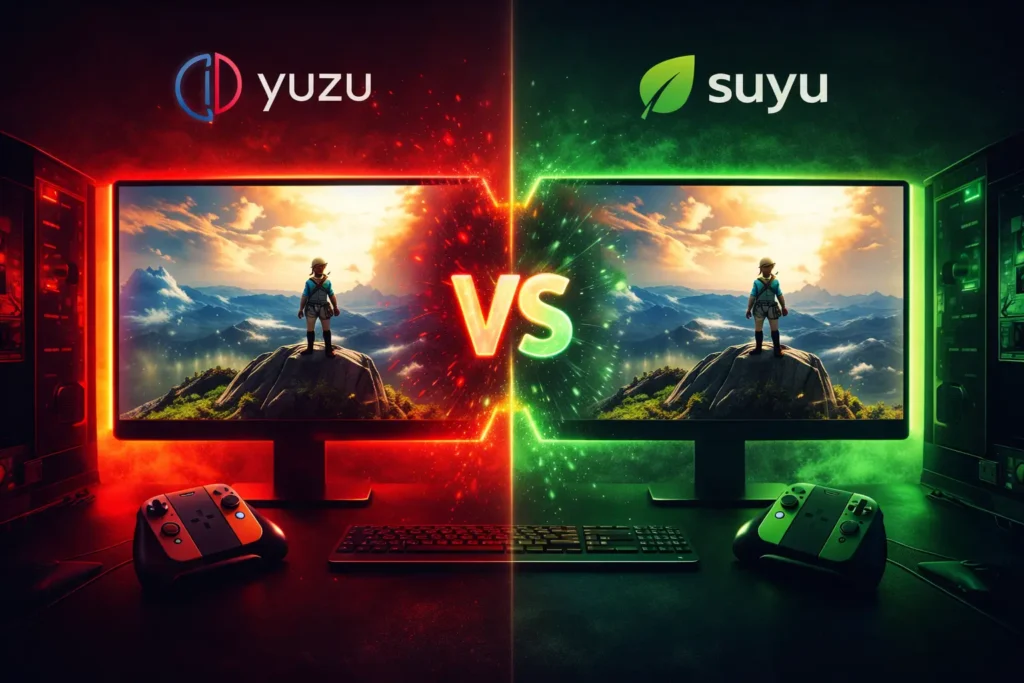
Yuzu vs Suyu Emulator – Quick Comparison Table
A quick comparison between the Yuzu Emulator and Suyu Emulator helps users understand their differences in performance, updates, and community support.
Feature |
Yuzu |
Suyu |
|---|---|---|
Emulator Type |
Nintendo Switch emulator |
Fork of the Yuzu emulator |
Performance |
Stable and optimized |
Improving with updates |
Game Compatibility |
High compatibility with many games |
Moderate but increasing |
Community Support |
Large and established community |
Growing community |
Growing community |
Limited updates now |
Actively maintained |
Suyu vs Yuzu Performance Comparison
Yuzu requires a reasonably powerful PC to run Nintendo Switch games smoothly. If you have a powerful CPU and GPU, most games can run smoothly with good graphics. However, low-end systems may experience lag, frame drops, or occasional crashes.
When I first tried playing games on my laptop, I experienced stuttering. After upgrading my RAM and GPU, performance improved significantly, and the games ran smoothly without major issues.
Suyu performs similarly to Yuzu forks and works well on modern systems. Because it is based on the original Yuzu codebase, many features and optimizations are already included.
In testing, several games ran smoothly on my PC at around 60 FPS with higher graphics settings. Some titles may still require minor tweaks, but overall, the Emulator performs well on capable hardware. If you want to compare another popular emulator, read our Yuzu vs Ryujinx comparison.
Game Compatibility
Yuzu supports a wide range of Nintendo Switch games, including well-known titles like Mario Kart 8 Deluxe and Pokémon Scarlet. When the Emulator is properly configured, many of these games run smoothly with stable performance and good graphics.
That said, not every game works perfectly. Some titles may still exhibit issues such as lag, crashes, or minor graphical glitches, depending on the PC hardware and emulator settings.
The good thing is that the developer community frequently releases updates. These updates fix bugs and gradually improve compatibility, making more games playable over time. You can also check the latest list of playable games on Yuzu emulator to see which titles work best.
Since Suyu is built from the Yuzu codebase, it can run many of the same Nintendo Switch titles. Popular games such as The Legend of Zelda: Tears of the Kingdom and Pokémon Scarlet are playable on both emulators.
Suyu is still developing, but its developers are actively working on improvements. With regular updates and bug fixes, the Emulator is slowly expanding its compatibility and getting closer to Yuzu’s performance.
Graphics and Settings
Yuzu allows players to enhance the graphics of Nintendo Switch games beyond the original console limits. With the right hardware, users can increase resolution scaling to make games look sharper and clearer than they do on the Switch itself.
The Emulator supports both Vulkan and OpenGL, giving users flexibility depending on their system. Vulkan usually provides better performance and smoother gameplay, while OpenGL can sometimes be more stable on certain PCs.
Another advantage is the ability to customise settings for each game. For example, one title can run at 720p for better performance, while another can be scaled up to 4K for improved visuals. This flexibility helps users balance graphics quality and system performance.
Suyu offers similar graphics options and configuration settings. Users can adjust resolution scaling, enable texture filtering, and tweak shader settings to improve visual quality.
The Emulator also supports high resolutions, such as 1080p and 4K, on powerful PCs. After shaders are cached, many games run more smoothly with fewer stutters, providing a better overall gameplay experience.
Because the project is still developing, the Suyu team continues working on graphical improvements and optimisation updates.
Yuzu Emulator Pros and Cons
Pros |
Cons |
|---|---|
Stable performance for many games |
Official development slowed after legal issues |
Large and active community |
Limited updates compared to earlier versions |
High compatibility with many Nintendo Switch titles |
Some games require manual configuration |
Suyu Emulator Pros and Cons
Pros |
Cons |
|---|---|
Community-driven development |
Smaller community compared to Yuzu |
Based on the Yuzu codebase |
Fewer supported games currently |
Active updates and improvements |
Compatibility still improving |
Yuzu vs Suyu vs Ryujinx – Quick Comparison
Emulator |
Best For |
Performance |
Compatibility |
Development Status |
|---|---|---|---|---|
Yuzu Emulator |
Stability and mature performance |
Very stable on many PCs |
High compatibility with many games |
Official development slowed |
Suyu Emulator |
New community-driven fork |
Improving with updates |
Growing compatibility |
Actively developed by community |
Ryujinx Emulator |
Accuracy and fast game support |
Stable with good optimization |
Very good compatibility |
Active development |
Yuzu → stable performance
Suyu → future potential
Ryujinx → best accuracy
Frequently Asked Questions
Is Suyu Emulator better than Yuzu Emulator?
Not necessarily. Yuzu is generally more stable and has better compatibility with many games. Suyu is a newer project that is still improving through community development.
Can Yuzu Emulator still run Nintendo Switch games?
Yes. Yuzu can still run many Nintendo Switch games on PC if you have the required system specifications and proper game files.
Which emulator has better performance?
Performance can depend on hardware and game settings. In many cases, Yuzu offers stable performance, while Ryujinx Emulator focuses more on accuracy and compatibility.
Is Suyu Emulator just a copy of Yuzu?
Suyu is not exactly a copy. It is a fork of Yuzu, meaning it uses the original open-source code but continues development under a different project.
Are Suyu and Yuzu the same?
No. Suyu was created after Yuzu development stopped. While both share similar codebases, they are separate projects with different development teams.
Did Yuzu Emulator win the lawsuit?
No. The developers behind Yuzu reached a settlement with Nintendo, which resulted in the project shutting down officially.
Is Suyu a fork of Yuzu?
Yes. Suyu was created by developers who continued the project using the open-source code from Yuzu.
What is better, Suyu or Ryujinx Emulator?
Ryujinx is often praised for its accuracy and compatibility, while Suyu is still developing and improving its performance and game support.
Final Verdict
Both Yuzu vs Suyu Emulator allow players to run Nintendo Switch games on a PC. Yuzu was one of the most stable emulators and supported a large number of games with good performance.
However, official development of Yuzu has stopped. Because of this, it may not receive new updates or improvements in the future.
Suyu was created from Yuzu’s open-source code and continues development through the community. Many core features and performance levels are still very similar to Yuzu.
If you want a proven and stable emulator, Yuzu is still a solid choice. But if you prefer an emulator that may continue improving with updates, Suyu could become the better option in the long run.
